Basalt app icon
basalt
habit tracker in a widget · iOS

most days, you won't open this app.

you write down what you want to follow through on, and how many times a week. then you tick it off on the home screen. that is the whole interaction.

download on the app store
more than one routine

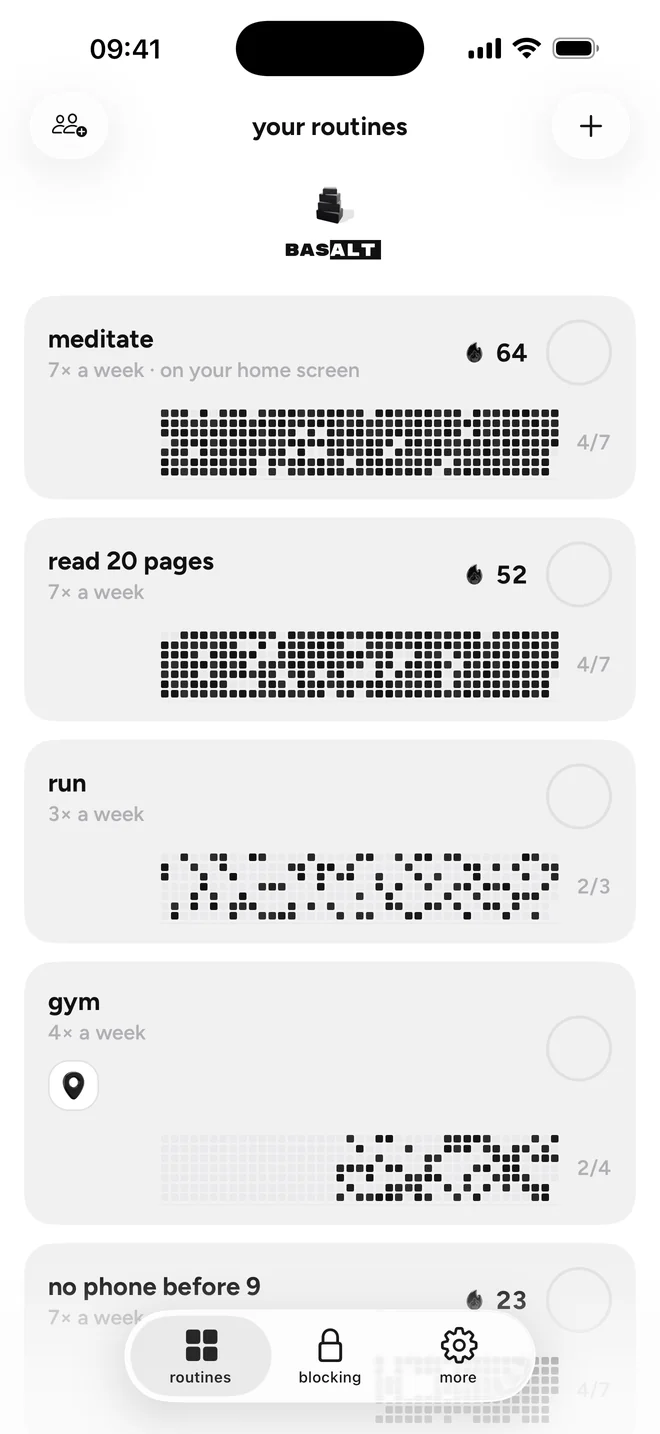
run several at once, each with its own weekly frequency. three runs a week, one call home on sunday, twenty minutes of reading on weekdays. they sit side by side, no ranking, no main one.

a routine can end

give a routine a target span if you want one. when the span is over, the routine is done. finished, not abandoned — a missed tuesday is a missed tuesday, not a reason to delete the app.

the widget is the product

check in from the home screen, without opening anything. the app is where you set a routine up, look at the plan, and change what it asks of you. most days you never get that far.

one person, read only

share a single routine with one person, by code or QR. they can see how it is going. they cannot edit it, cannot nudge you, cannot take it over. it is a window, not a handle.

when the phone is the thing in the way

basalt can shut the apps and websites that pull at you — on demand when you want an hour back, or on a schedule at night. you pick what gets shut in apple's own screen time picker, and the app never learns what you picked. this part is the paid upgrade; routines, check-ins, the widget, the plan and sharing are free and stay free.

quiet on purpose

monochrome, no accent colour, follows light and dark. no feed, no profile, no points, no leaderboard, nothing to scroll. the app has no reason to keep you in it.

Privacy Policy · Terms of Use · support@getklar.org
Made by Alain Kessler (Switzerland), operating as Klar. Data stored in the European Union.